reading-notes-201d25
Project maintained by Mahmoud-Khader Hosted on GitHub Pages — Theme by mattgraham
Read04
LINKS
 Writing Links
*Links are created using the element. Users can click on anything between the opening tag and the closing tag. You specify which page you want to link to using the href attribute.*
Email Links
*To create a link that starts up the user’s email program and addresses an email to a specified email address, you use the element. However, this time the value of the href attribute starts with mailto: and is followed by the email address you want the email to be sent to.*
pening Links in a New Window
*If you want a link to open in a new window, you can use the target attribute on the opening tag. The value of this attribute should be _blank.*
Linking to a Specific Part of the Same Page
At the top of a long page you might want to add a list of contents that links to the corresponding sections lower down. Or you might want to add a link from part way down the page back to the top of it to save users from having to scroll back to the top.Before you can link to a specific part of a page, you need to identify the points in the page that the link will go to. You do this using the id attribute (which can be used on every HTML element). You can see that the <h1> and <h2> elements in this example have been given idattributes that identify those sections of the page
Linking to a Specific Part of Another Page
If you want to link to a specific part of a different page (whether on your own site or a different website) you can use a similar technique.As long as the page you are linking to has id attributes that identify specific parts of the page, you can simply add the same syntax to the end of the link for that page.Therefore, the href attribute will contain the address for the page (either an absolute URL or a relative URL), followed by the # symbol, followed by the value of the id attribute that is used on the element you are linking to.
LAYOUT
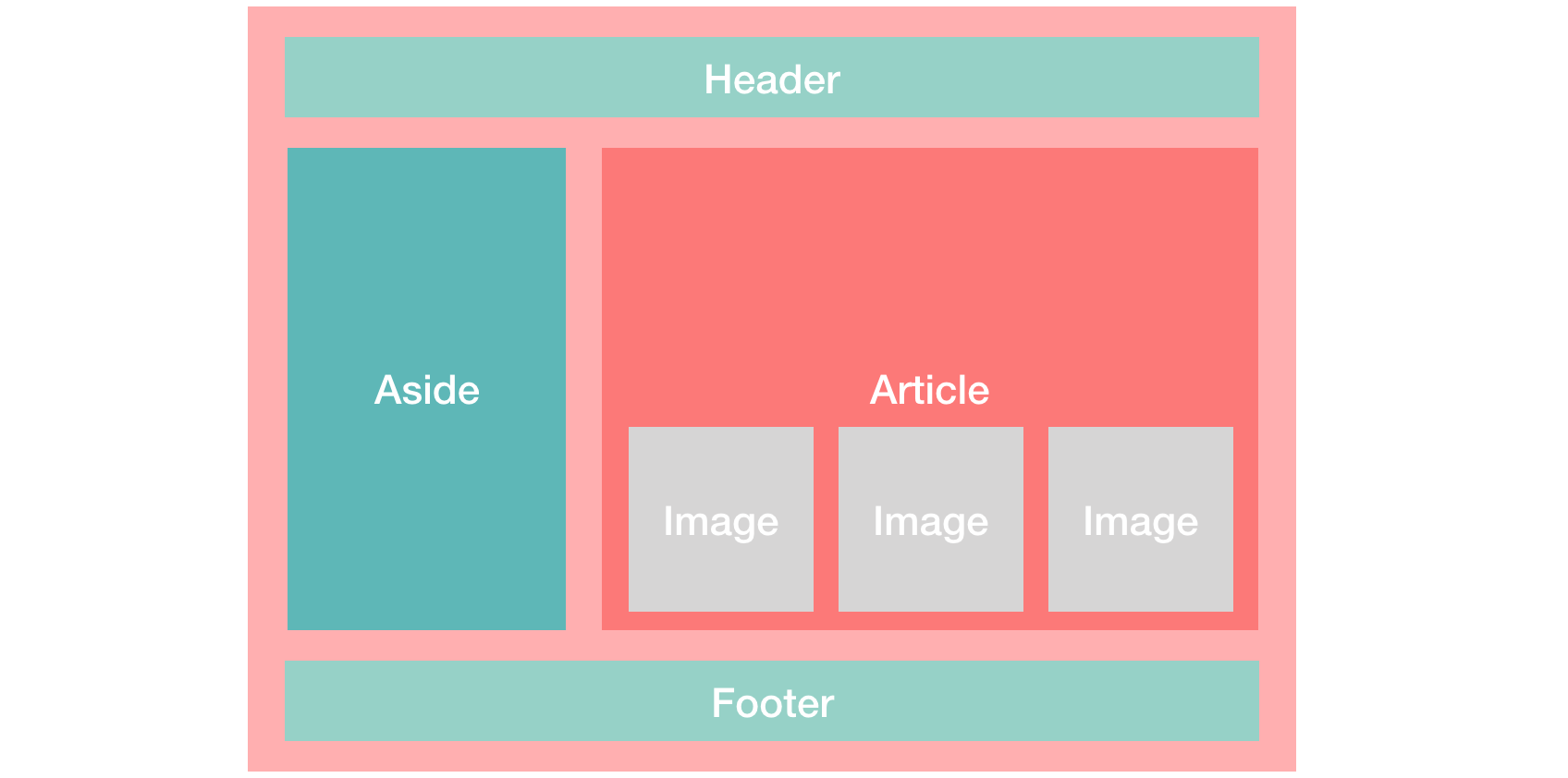 Controlling the position of elements
Building Blocks :CSS treats each HTML element as if it is in its own box. This box will either be a block-levelbox or an inline box.
Containing Elements :If one block-level element sits inside another block-level element then the outer box is known as the containing or parent element.
Controlling the Position of Elements
CSS has the following positioning schemes that allow you to control the layout of a page: normal flow, relative positioning, and absolute positioning. You specify the positioning scheme using the positionproperty in CSS. You can also float elements using the float property. To indicate where a box should be positioned, you may also need to use box offset properties to tell the browser how far from the top or bottom and left or right it should be placed. (You will meet these when we introduce the positioning schemes on the following pages.)
Functions, Methods, and Objects
 WHAT IS A FUNCTION?
Functions let you group a series of statements together to perform a specific task. If different parts of a script repeat the same task, you can reuse the function (rather than repeating the same set of statements).
Declaring a Function
To create a function , you give it a name and then write the statments needed to achive its task inside the curly braces , this known as a function declaration
Calling a Function
Having declared the function,you can then execute all of the statements between its curly braces with just one line of code , This known as calling a function
Declaring Function That Need Information
Sometimes a function needs specific Information to perform its task in such cases when you declare the function you give it parameters inside the function , the parameters act like variables
Calling Function That Need Information
When you call a function that has parameters you specify the values it should use in parentheses that follow its name , the values are called arguments ,and they can be provided as values or as variables
Getting a Single Value Out Of a Function
Some functions return information to the code that called them,For example, when they perform a calculation , they return the result
Getting Multiple Values Out Of a Function
Functions can return more than one value using an array.For example , the function calculates the area and valume of box
ANONYMOUS FUNCTIONS & FUNCTION EXPRESSIONS
Expressions produce a value. They can be used where values are expected. If a function is placed where a browser expects to see an expression, (e.g., as an argument to a function), then it gets treated as an expression.
IMMEDIATELY INVOKED FUNCTION EXPRESSIONS
*This way of writing a function is used in several different situations. Often functions are used to ensure that the variable names do not conflict with each other (especially if the page uses more than one script). *
VARIABLE SCOPE
The location where you declare a variable will affect where it can be used within your code. If you declare it within a function, it can only be used within that function. This is known as the variable’s scope.
**HOW MEMORY & VARIABLES WORK **
Global variables use more memory. The browser has to remember them for as long as the web page using them is loaded. Local variables are only remembered during the period of time that a function is being executed.
6 Reasons for Pair Programming
 How does pair programming work?
While there are many different styles, pair programming commonly involves two roles: the Driver and the Navigator. The Driver is the programmer who is typing and the only one whose hands are on the keyboard. Handling the “mechanics” of coding, the Driver manages the text editor, switching files, version control, and—of course writing—code. The Navigator uses their words to guide the Driver but does not provide any direct input to the computer. The Navigator thinks about the big picture, what comes next, how an algorithm might be converted in to code, while scanning for typos or bugs. The Navigator might also utilize their computer as a second screen to look up solutions and documentation, but should not be writing any code.
How does pair programming work?
While there are many different styles, pair programming commonly involves two roles: the Driver and the Navigator. The Driver is the programmer who is typing and the only one whose hands are on the keyboard. Handling the “mechanics” of coding, the Driver manages the text editor, switching files, version control, and—of course writing—code. The Navigator uses their words to guide the Driver but does not provide any direct input to the computer. The Navigator thinks about the big picture, what comes next, how an algorithm might be converted in to code, while scanning for typos or bugs. The Navigator might also utilize their computer as a second screen to look up solutions and documentation, but should not be writing any code.
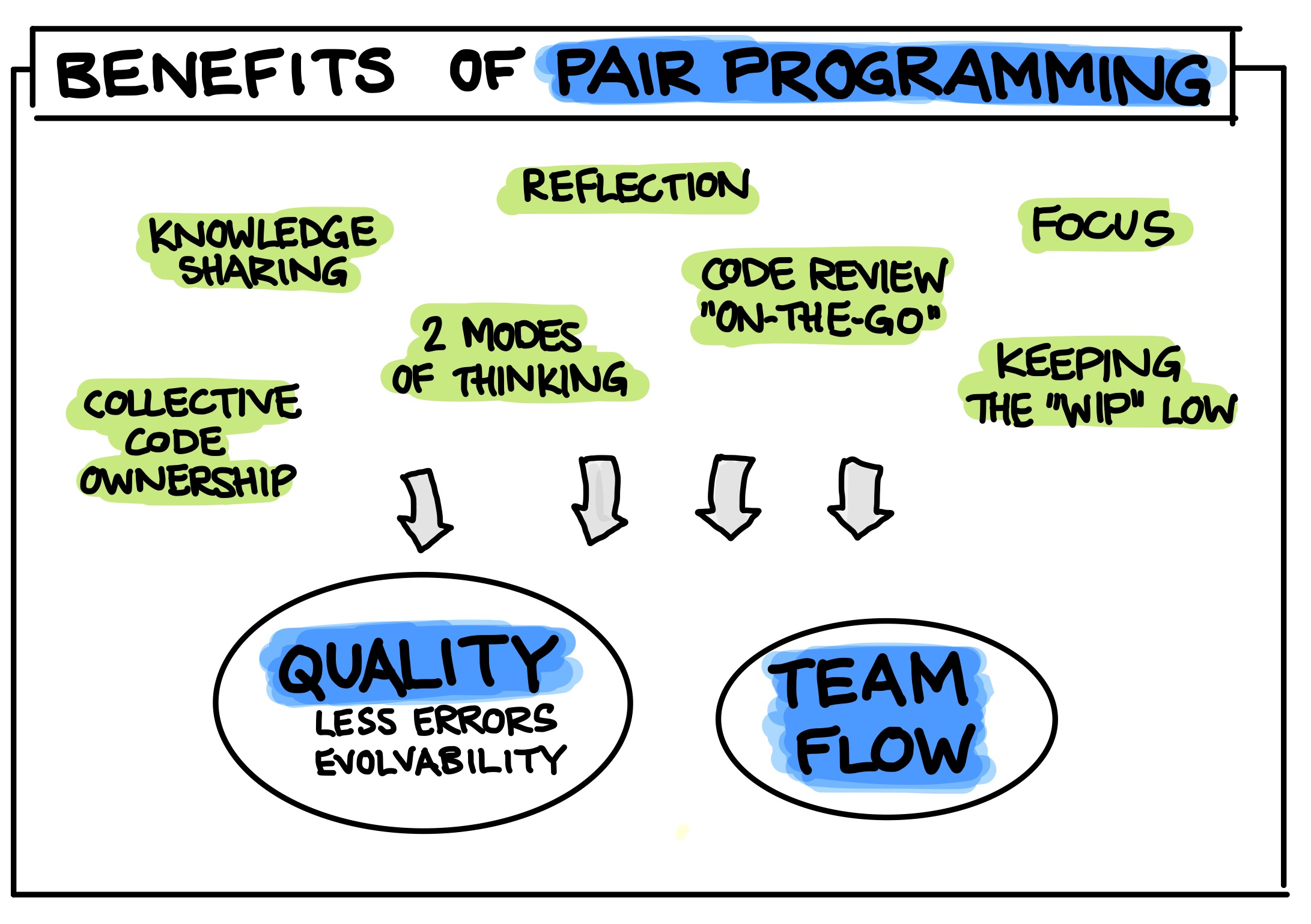
Why pair program? Pair programming touches on all four skills: developers explain out loud what the code should do, listen to others’ guidance, read code that others have written, and write code themselves.
- Greater efficiency : It is a common misconception that pair programming takes a lot longer and is less efficient. In reality, when two people focus on the same code base, it is easier to catch mistakes in the making.
- Engaged collaboration : When two programmers focus on the same code, the experience is more engaging and both programmers are more focused than if they were working alone. It is harder to procrastinate or get off track when someone else is relying on you to complete the work. Popping open your Facebook timeline is just that less enticing when someone else is looking at your screen.
- Learning from fellow students : Everyone has a different approach to problem solving; working with a teammate can expose developers to techniques they otherwise would not have thought of. If one developer has a unique approach to a specific problem, pair programming exposes the other developer to a new solution.
- Social skills : Pair programming is great for improving social skills. When working with someone who has a different coding style, communication is key. This can become more difficult when two programmers have different personalities.
- Job interview readiness : A common step in many interview processes involves pair programming between a current employee and an applicant, either in person or through a shared screen. They will carry out exercises together, such as code challenges, building a project or feature, or debugging an existing code base.
- Work environment readiness : Many companies that utilize pair programing expect to train fresh hires from CS-degree programs on how they operate to actually deliver a product. Code Fellows graduates who are already familiar with how pairing works can hit the ground running at a new job, with one less hurdle to overcome.
