reading-notes-201d25
Project maintained by Mahmoud-Khader Hosted on GitHub Pages — Theme by mattgraham
Read06
Objects group together a set of variables and functions to create a model of a something you would recognize from the real world. In an object, variables and functions take on new names.
-
IN AN OBJECT: VARIABLES BECOME KNOWN AS PROPERTIES : If a variable is part of an object, it is called a property. Properties tell us about the object, such as the name of a hotel or the number of rooms it has. Each individual hotel might have a different name and a different number of rooms.
-
IN AN OBJECT: FUNCTIONS BECOME KNOWN AS METHODS : If a function is part of an object, it is called a method. Methods represent tasks that are associated with the object. For example, you can check how many rooms are available by subtracting the number of booked rooms from the total number of rooms.

Document Object Model
THE DOM TREE IS A MODEL OF A WEB PAGE
As a browser loads a web page, it creates a model of that page. The model is called a DOM tree, and it is stored in the browsers’ memory. It consists of four main types of nodes.

ACCESSING ELEMENTS
Sometimes you will just want to access one individual element (or a fragment of the page that is stored within that one element). Other times you may want to select a group of element s, for example, every (hl) element in the page or every 91 i) element within a particular list.

LOOPING THROUGH A NODELIST

WHITESPACE NODES
Traversing the DOM can be difficult because some browsers add a text node whenever they come across whitespace between elements.
HOW TO GET/UPDATE ELEMENT CONTENT
So far this chapter has focused on finding elements in the DOM tree. The rest of this chapter shows how to access/update element content. Your choice of techniques depends upon what the element contains.
ADDING ELEMENTS USING DOM MANIPULATION
DOM manipulation offers another technique to add new content to a page (rather than i nnerHTML). It involves three steps:
- CREATE THE ELEMENT : createEl ement ()
- GIVE IT CONTENT : createTextNode()
- ADD IT TO THE DOM : appendChild()
COMPARING TECHNIQUES: UPDATING HTML CONTENT
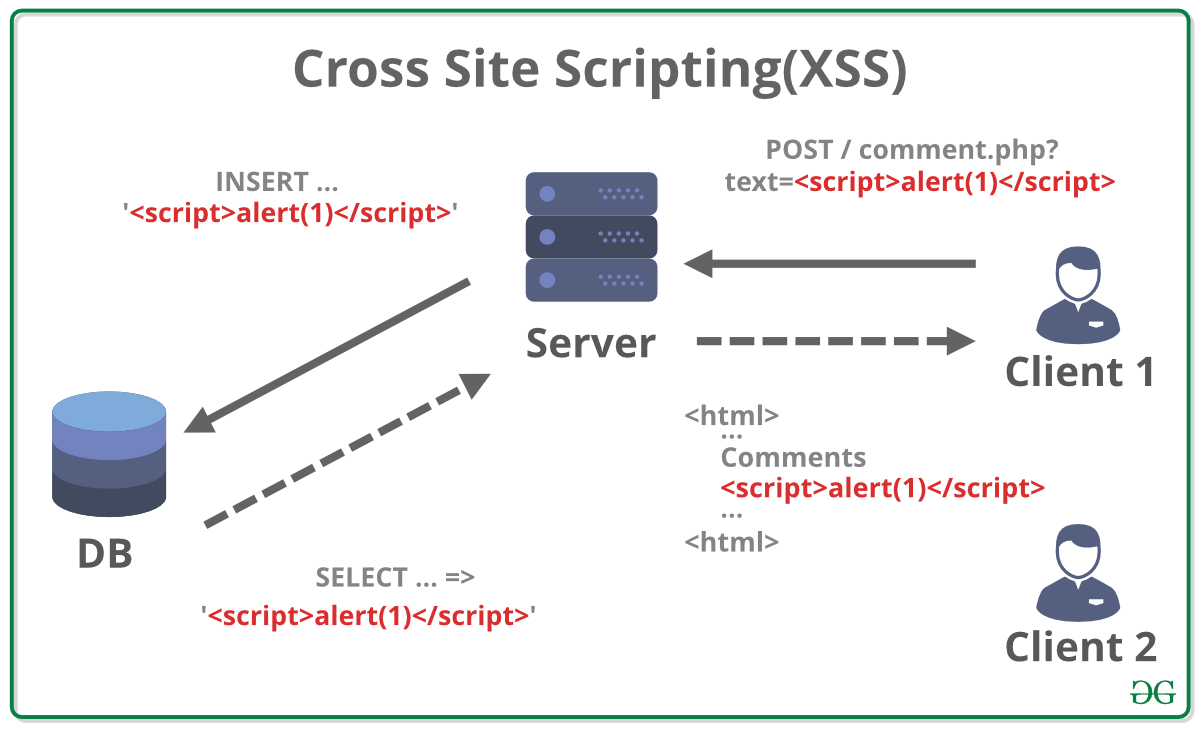
CROSS-SITE SCRIPTING (XSS) ATTACKS
If you add HTML to a page using i nnerHTML (or several jQuery methods), you need to be aware of Cross-Site Scripting Attacks or XSS; otherwise, an attacker could gain access to your users’ accounts.
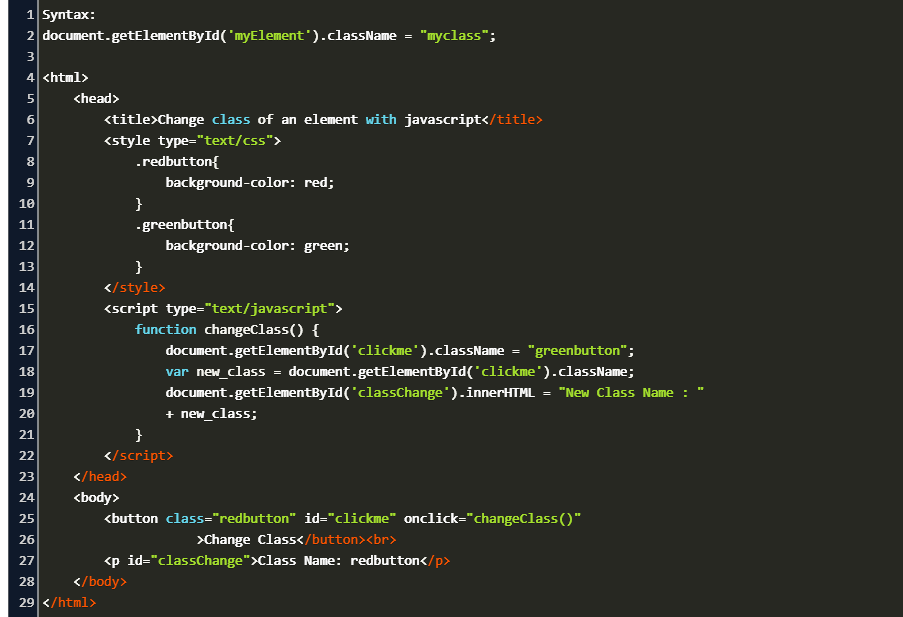
CREATING ATTRIBUTES & CHANGING THEIR VALUES